import ReactPlayer from 'react-player'
Correlation
Correlation allows you to link steps together. For instance, you can design a test scenario to evaluate your authentication process by taking the following steps: First, obtain the authentication token from the response of a login request. Then, insert the extracted token into subsequent requests. This short example demonstrates how correlation works in practice.
Capture Value from the Response
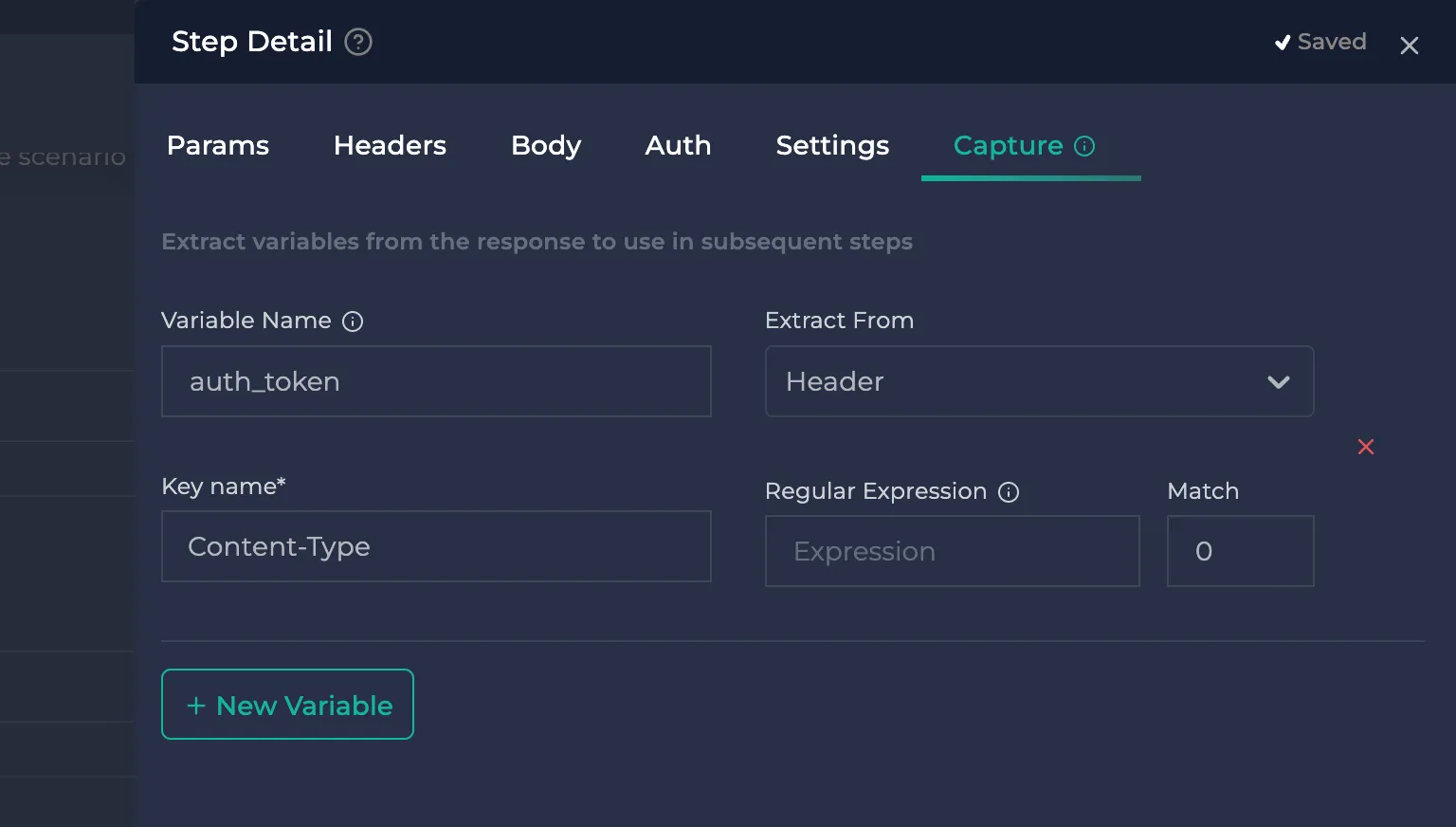
- Click the More button located to the right of the step and open the "Step Details" section.
.webp)
* Give a unique name to a variable that you will use to access the captured value in subsequent requests.
* Select whether to extract the value from the response body or response headers.
* Choose the appropriate extraction type based on where you extract the value.
* If you're extracting from the response body, you can use JSON path, XML path, or regular expressions to extract the value.
* If you're extracting from response headers, you can extract the entire header value or a part of the header value by using regular expressions.
.webp)
Use Captured Value in Requests
You can use the format {{captured_variable_name}} to insert a value that was previously captured into various parts of subsequent requests. This includes the URL, the request body, query parameters, headers, and authentication information.
.webp)